Automatic discovery
No IP addresses, no ports, no setup wizard. Operators appear in the slideroom the moment they launch the application on the same network.



LAN presentation distribution sends decks from the speaker ready room straight to the operators running each room — over the venue's local network. No cloud upload, no USB sticks, no dependency on conference Wi-Fi that fails exactly when the session starts.
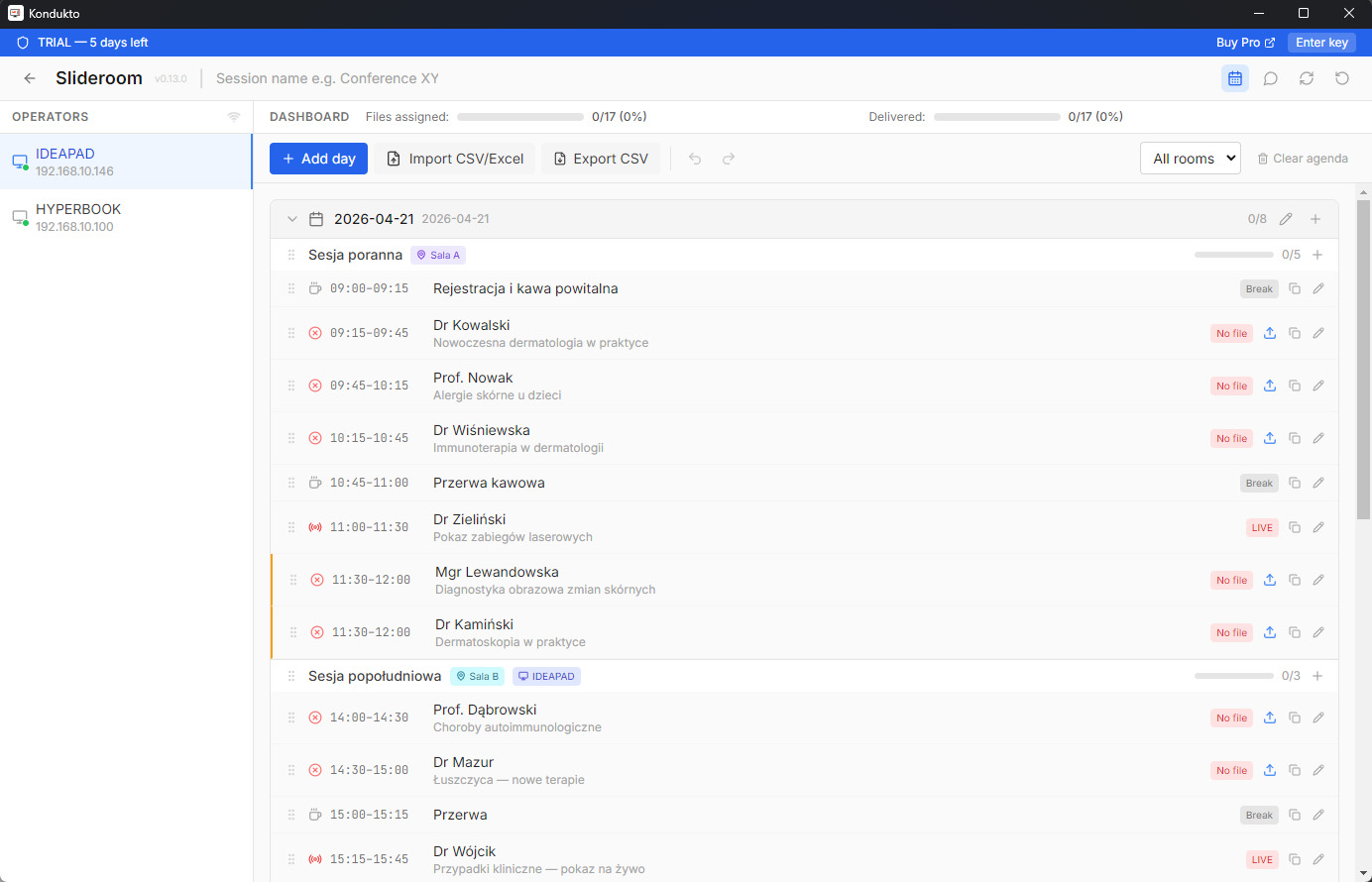
Run the app in the ready room and on each operator PC — they find each other and start working.
No IP addresses, no ports, no setup wizard. Operators appear in the slideroom the moment they launch the application on the same network.
Drop the file onto the room that needs it. The operator receives the deck instantly, filed under the right session from your agenda.
PPTX, PDF, Keynote, video, audio, images, archives. No format restrictions and no per-file size cap — a 2 GB video moves at local network speed.
Every conference team has watched a cloud upload stall at 80% while the next speaker walks on stage. Venue Wi-Fi is shared with hundreds of attendees, hotel uplinks throttle large files, and a locked-down corporate network may block the service entirely. Sending a 400 MB deck through the internet, out of the building and back into the same building, is a strange risk to accept for a file that only needs to travel thirty metres.
LAN distribution removes the internet from the critical path. Files move machine to machine at local network speed, which is typically faster than any cloud round-trip and — more importantly — predictable. What worked in rehearsal works during the session, because nothing outside the room can degrade it.
Speaker ready rooms, AV crews, production companies and multi-room venues. Anywhere a technical operator sits in a control position and needs the correct deck in front of them before a talk begins, this is the workflow that holds up. It is also the answer when a client's security policy simply does not allow their material on a third-party cloud.
One slideroom serves the entire venue. Send the same deck to two rooms with a single drag, watch delivery status per session, and message operators in the app instead of running across the hall. Technical operators are unlimited and free on every plan, so scaling from one room to six costs nothing extra in licences.
Decks usually arrive first through the speaker presentation upload portal, then get distributed over LAN on the day. For sessions running in several languages, add multilingual slide synchronization so every room and interpreter booth stays on the same slide. All of it is part of the Kondukto conference toolkit.
A portable Windows or macOS application on each machine — no installer, no admin rights, no agent, no server. Machines need to be on the same local network; if that is genuinely impossible, optional Global mode connects them over the internet through an encrypted relay. Internet is otherwise needed only once, to activate your licence.
Kondukto comes from AS LIVE MEDIA, an AV company that delivers conferences technically. The offline-first design is not a philosophical stance — it is what survives a real event day. When you want backup, we can support your show remotely or be on site.
Presentation files move directly between machines on the venue's local network instead of going through the internet or a cloud service. The speaker ready room sends a deck and the operator in the room receives it in seconds, with nothing leaving the building.
Yes. That is the point. Transfers run entirely on the LAN, so the show does not depend on venue Wi-Fi or a hotel uplink. Internet is only needed once to activate the licence.
No. The slideroom and operator machines discover each other automatically on the local network. There is no server to install, no port forwarding and no ticket to the venue's IT department.
Yes. One slideroom serves every room in the venue, and you can send the same deck to two rooms with a single drag. Technical operators are unlimited on every plan.
Files transfer directly between paired devices. Nothing is uploaded to a cloud and nothing is logged externally, so material stays inside the venue network you control.
Optional Global mode connects them over the internet through an encrypted relay using a conference code tied to your licence, for cases where a shared LAN genuinely is not available.