USB chaos
Sticks get lost, files overwritten, last-minute edits land on the wrong drive.
— solved



Send slides from the speaker ready room to operators over LAN — offline, no USB, no setup. Works across Windows & macOS. Operators on another network? Turn on optional Global mode.
Every conference team improvises the same workflow — and pays for it on the day of the show.
Sticks get lost, files overwritten, last-minute edits land on the wrong drive.
200 MB attachments, attachment limits, and version threads no one can follow.
Cloud uploads stall mid-session. Your show should not depend on the venue router.
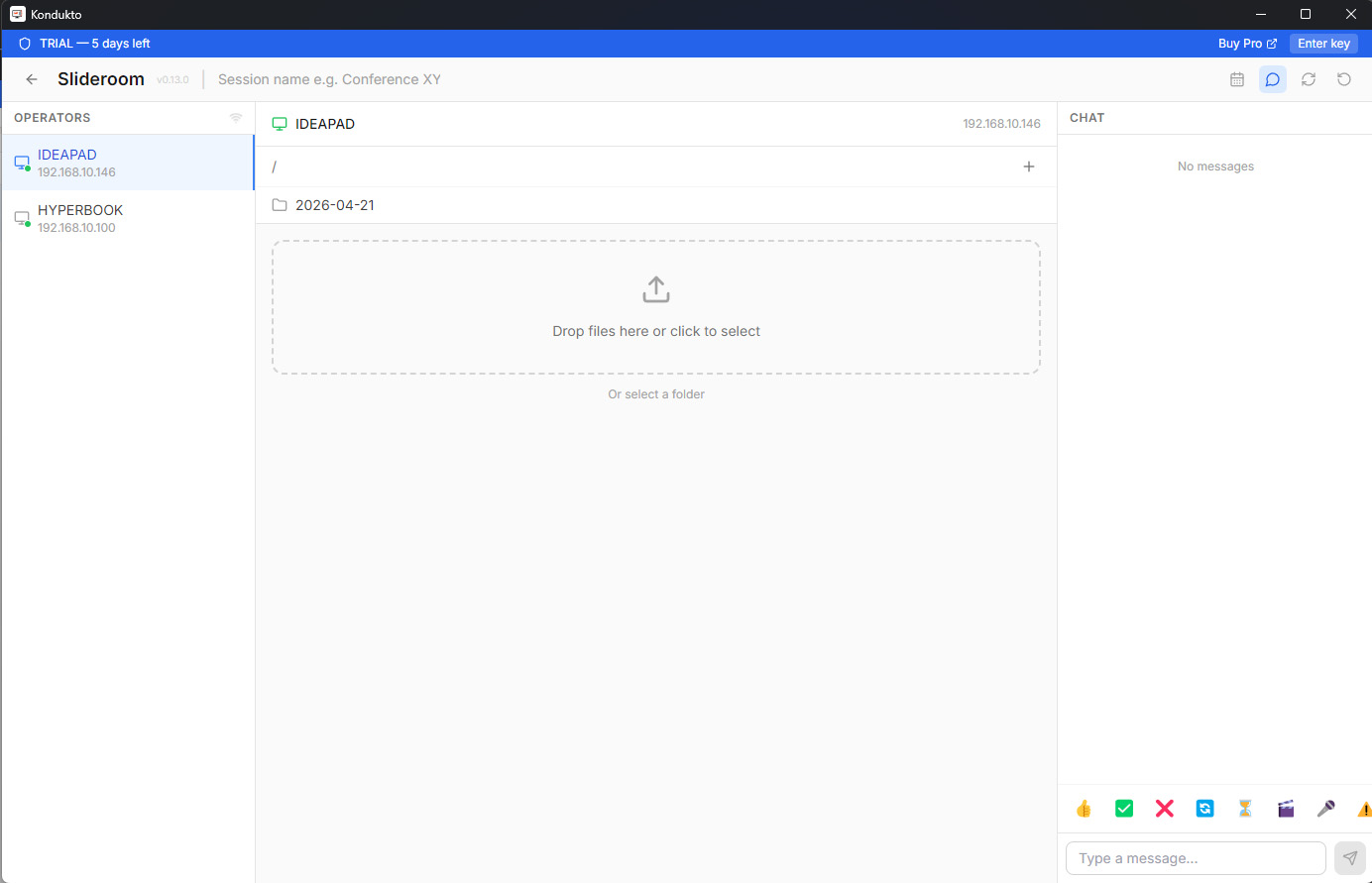
Run Kondukto on the slideroom PC and on each operator PC. They find each other.
Portable Windows app. No installer, no admin rights, no agent. Double-click and you are live.
Slideroom and operators discover each other automatically. No IP addresses to type, no port forwarding.
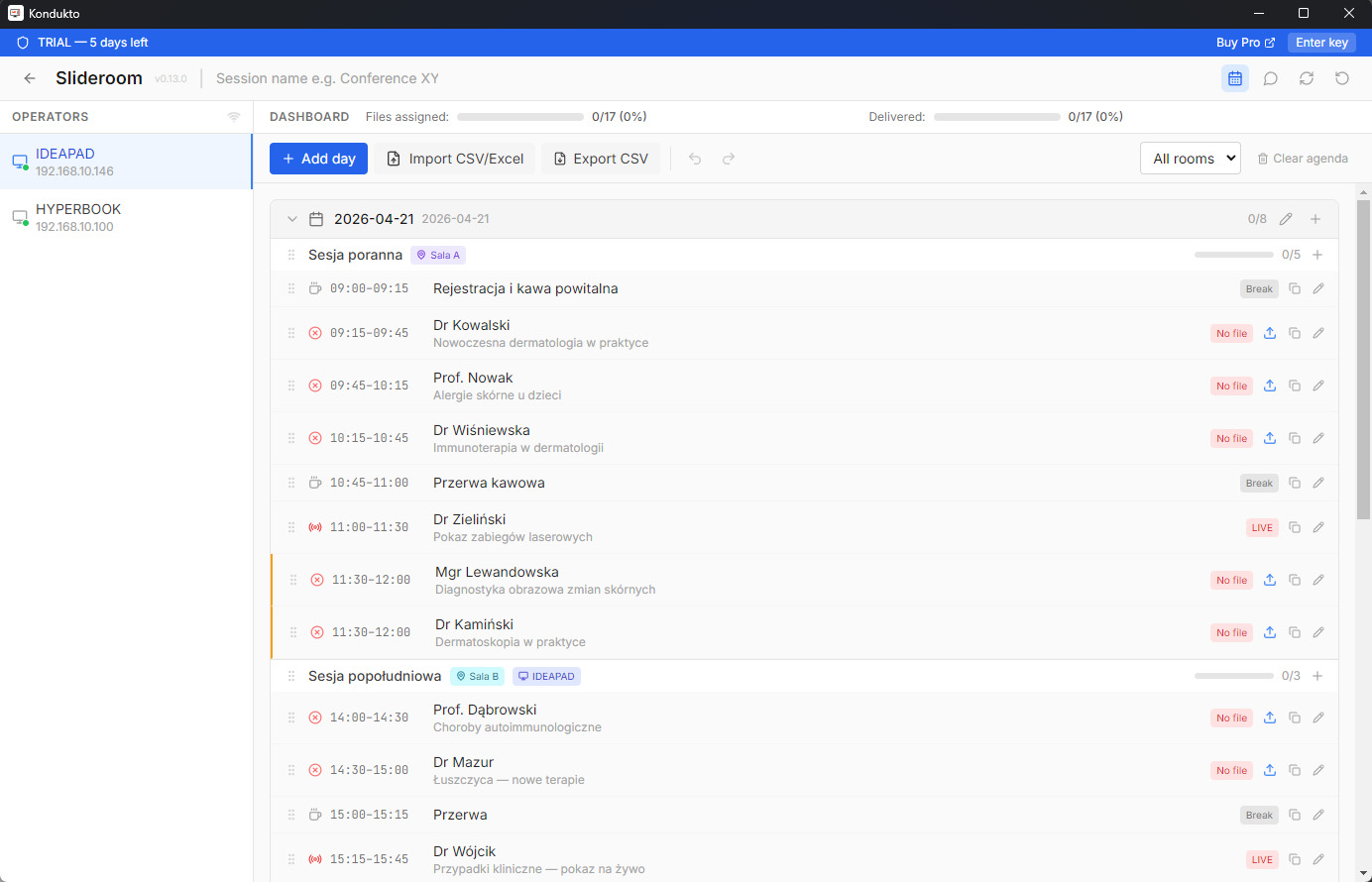
Drag the file onto the room. Operators get the deck instantly, ordered by your agenda.
Import — export CSV, Excel. Intuitive manual building of full agendas.
Files move directly between machines on your local network. Zero cloud, zero internet dependency.
No IPs, no ports, no setup wizard. Operators show up in the slideroom the moment they launch the app.
One slideroom serves every room in the venue. Send the same deck to two rooms with one drag.
Import the schedule from Excel. See who is up next, what is delivered, and what is still missing.
Talk to operators without leaving the app. Typing indicators, file context, room-by-room threads.
A real dark theme — not a tinted light theme. Easy on operator eyes during 12-hour show days.
Kondukto runs in two modes — Slideroom and Technical Operator — that mirror how real conference teams actually work.


Same app, two ways to connect — and it works across Windows & macOS.
Slideroom and operators on the same local network. Files go directly between machines — nothing leaves your network, no internet needed. The most secure option, and the default.
When machines aren't on one LAN — different networks, RDP, no shared local network — connect your slideroom and operators over the internet through an encrypted relay, using a conference code unique to your license. Everyone joins with the same company serial.
Heads-up: Global mode has no data limits today. In the future, cloud data volume will be tiered by package.
Add speaker emails to your agenda and send invitations. Speakers upload presentations to the cloud; one click syncs each file to the right agenda slot and routes it to the assigned operator. Works in both modes — the slideroom just needs internet access to fetch the files.
Mix freely — slideroom and operators can each run on Windows or macOS, all working together.
Each module works on its own — start with the one that hurts most at your events.
Every language version changes slide at the same moment.
Speakers upload decks through one link — no accounts.
Files reach every operator over the local network.
Talks end on time and the agenda stops drifting.
Speakers advance slides from anywhere on stage.
Annual subscription. Start with a 14-day free Pro trial — no credit card.
LAN-only works on your local network. LAN + Global adds encrypted cloud sync over the internet — send presentations to operators anywhere.
For a single slideroom PC.
For small AV teams.
Multi-room conferences and full venues.
For production companies and large venues.
Both versions transfer files locally over LAN. Pro removes the limits that matter on event day.
| Feature | Free | Pro |
|---|---|---|
| Technical operators | 1 | Unlimited |
| Agenda & dashboard | Not included | Included |
| Upload limit | 500 MB / day | Unlimited |
| Real-time chat | Included | Included |
| Dark mode | Included | Included |
| File thumbnails | Included | Included |
| System tray app | Included | Included |
| All updates included | Included | Included |
| Multi-room workflow | Limited | Full |
Download Kondukto for Windows and start sending presentations locally over LAN in minutes.
Portable · Windows 10/11 & macOS · No installer required